Neon Modem Download

Neon Modem Overdrive

Experience the BBS Vibes of the 80s
on the Modern Bulletin Boards of Today!

With Support for Hyperuplink, Discourse, Lemmy, Lobsters and Hacker News

Download Source code

Demo

A recording of Neon Modem Overdrive in a terminal. The feed in the Hot order with posts from Hacker News, lobste.rs, programming.dev and KeebTalk, a Hacker News thread with the Open with dialog and the reply window on top, KeebTalk switched to the New order in the sort order picker, a KeebTalk post on the 45th birthday of the IBM PC with its text and then its photo drawn into the terminal, and the category picker of KeebTalk.

Every board. One TUI.

Neon Modem Overdrive is the terminal user interface for every major bulletin board, aggregating them into a single feed.

Built for the keyboard

Move through the list with j and k, open a thread with Enter, reply with r, and more.

Watch the recording (MP4, 58 seconds, no sound).

About

Neon Modem Overdrive is the terminal bulletin board client from the future. It supports Hyperuplink, Discourse, Lemmy, Lobsters and Hacker News, and puts all of them behind one unified interface.

Back in the days Bulletin Board Systems were the lifeblood of online communities, allowing people to share information and even files with a broader group, by using a terminal and a phone line. BBSes were basically the 80s nerd Facebook with less foolish content.

Clearly the need for these kind of dial-up services has vanished with the introduction of widespread internet connectivity. BBSes got replaced by software and services like Quora, Stack Overflow, Reddit, Facebook and others. Yet to this day all these platforms have either failed or not even tried to deliver the same kind of originality and hacker culture experience a person got when logging on to an actual BBS. One key reason for that is the presentation layer, which these days is limited to bloated and conformist web and mobile experiences.

Message

From
マリウス
To
All
Subject
KeebTalk

One example, which is also one of the reasons for me to start this project, is KeebTalk, a mechanical keyboard aficionado forum. I love browsing the content there and sometimes even post keeb content myself, yet every time I do I feel like irony itself is laughing sneeringly into my face:

A mechanical keyboard forum that's to be navigated primarily using a... mouse?

MUAHAHAH... MUUAHAHAHAHAH!

So I thought, why not bring back the BBS vibes, with a modern twist, and bridge the gap between today's web platforms and the command line interface?

And yes, you heard that right, I really did call it Neon Modem Overdrive.

Systems

Neon Modem Overdrive calls the boards it connects to systems. Every system lists forums, posts and threaded replies, and with an account it also creates posts and replies. Without one, every system connects for reading only.

  • Hyperuplink

    • FRM: lists forums
    • PST: lists posts
    • RPL: lists replies
    • NEW: creates posts
    • RPY: creates replies
    • R/O: reads without an account on boards that serve guests

    Signs in once with your password and a two-factor code, then stores the API key. Without an account, boards that serve guests are readable.

    neonmodem connect --type hyperuplink --url https://api.hyperup.link

  • Discourse

    • FRM: lists forums
    • PST: lists posts
    • RPL: lists replies
    • NEW: creates posts
    • RPY: creates replies
    • R/O: reads without an account

    Opens the browser to authorize a user API key, checks it and stores the key. Without an account, the public categories are readable.

    neonmodem connect --type discourse --url https://www.keebtalk.com

  • Lemmy

    • FRM: lists forums
    • PST: lists posts
    • RPL: lists replies
    • NEW: creates posts
    • RPY: creates replies
    • R/O: reads without an account

    Logs in once, with a two-factor code, and stores the session token. Lists your subscribed communities, the local feed or all of them.

    neonmodem connect --type lemmy --url https://lemmy.ml

  • Lobsters

    • FRM: lists forums
    • PST: lists posts
    • RPL: lists replies
    • NEW: creates posts
    • RPY: creates replies
    • R/O: reads without an account

    Lobsters has no API for posting, so Neon Modem signs in and posts through the site's forms, like a browser would. Accounts with two-factor authentication can't post, sorry.

    neonmodem connect --type lobsters --url https://lobste.rs

  • Hacker News

    • FRM: lists forums
    • PST: lists posts
    • RPL: lists replies
    • NEW: creates posts
    • RPY: creates replies
    • R/O: reads without an account

    Signs in and posts through the site's login and submission forms. Ask HN, Show HN and Jobs HN are forums, top and new stories are sort orders. A new post that's only a single URL is submitted as a link post.

    neonmodem connect --type hackernews

Features

One feed

The feed lists the posts of every connected system, sorted in whichever way you prefer (see Sorting).

Windows on windows

Neon Modem has its own window manager. Threads, pickers and the reply window open as dialogs on top of each other, while the feed stays where you left it.

Sorting

C-o sorts the feed by New, Active, Hot, Top of the day, week, month, year or all time, or Most comments.

Threads

Replies are threaded and numbered. The keybinding 3r replies to reply #3, and z loads older replies.

Inline images

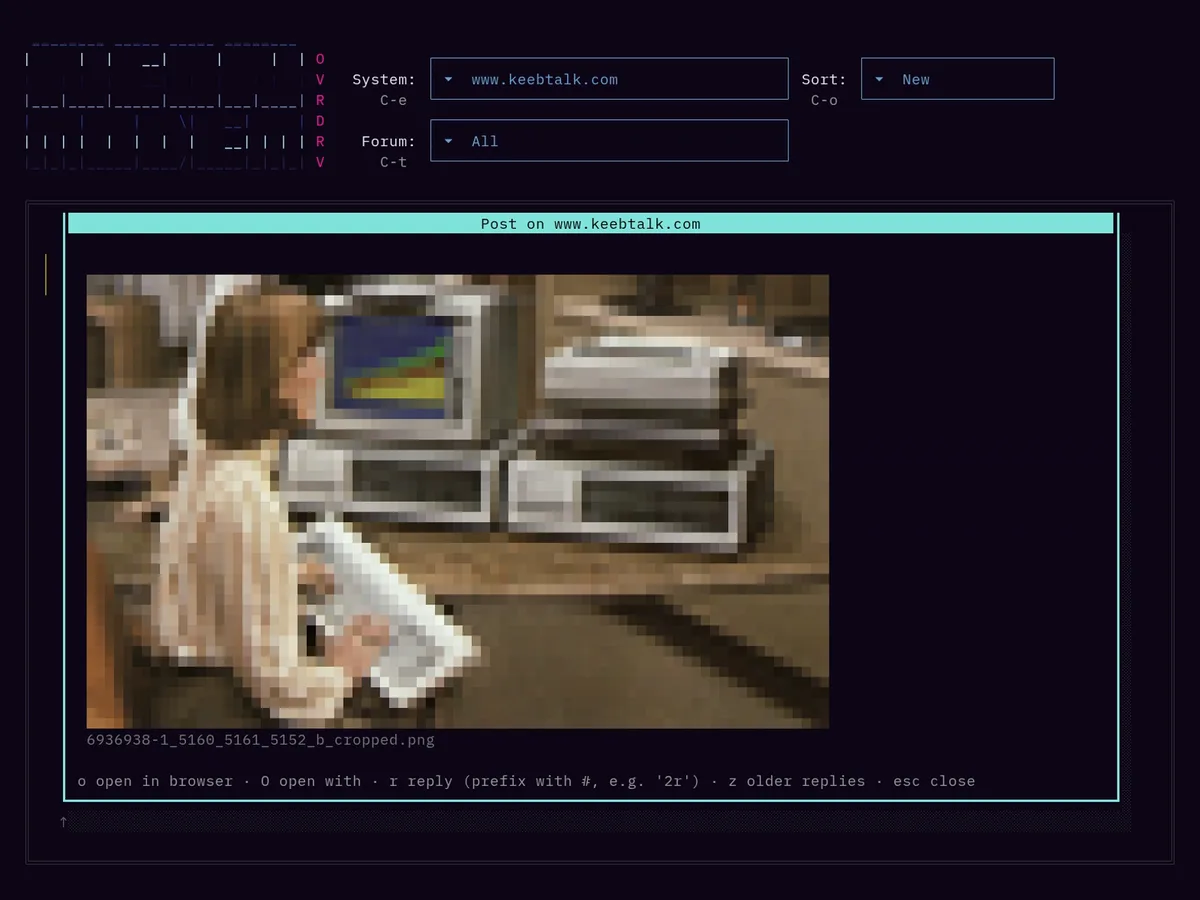
Images in posts and replies are drawn into the terminal with half blocks. RenderImages = false turns them off, which keeps the post view fast and the data usage at a minimum.

Open with

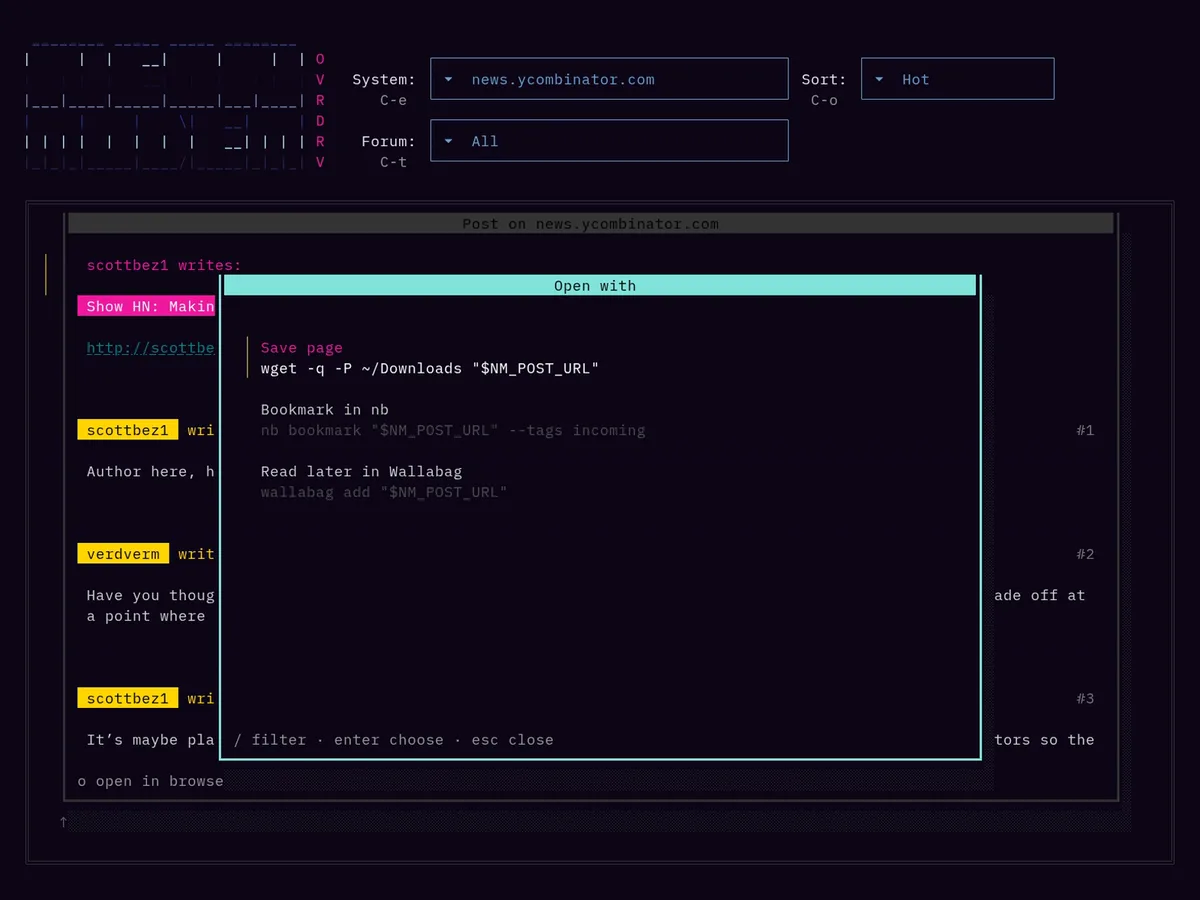
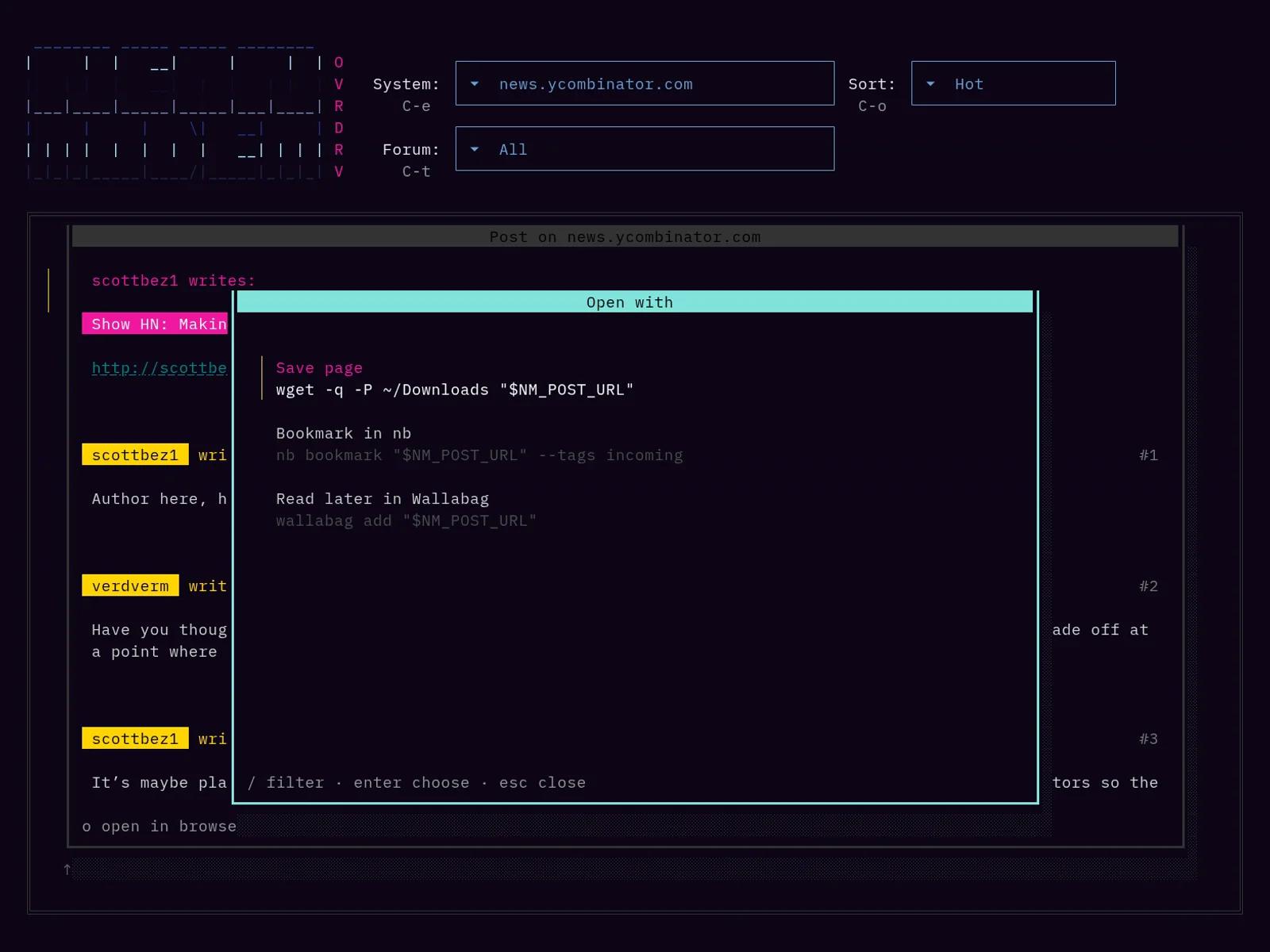
O in the post view runs one of the commands from the OpenWith entries of the configuration, for example to save the page or to bookmark it. The post's URL, title and system are passed in NM_ variables.

Themes

Every color is in the Theme section of the configuration, as a pair for light and dark terminals.

Password managers

Every credential can be read from a command, such as pass, instead of being stored in the configuration file.

Read-only

Choose No account in the username menu of neonmodem connect. Every system then works for reading on boards that allow guests.

Fast

Hacker News feed, 30 posts
1.3 s
Hacker News thread, 189 comments
1.4 s
lobste.rs feed
0.4 s
meta.discourse.org feed
0.3 s

Measured against the public sites over a regular broadband connection.

Single binary

A static binary without runtime dependencies, with its configuration in a single TOML file.

Platforms

Release builds for over three dozen targets on Linux, macOS, Windows, FreeBSD, OpenBSD, NetBSD, DragonFly BSD, illumos, Solaris and Android, from 386 and ARMv6 to RISC-V, s390x and LoongArch.

Screenshots

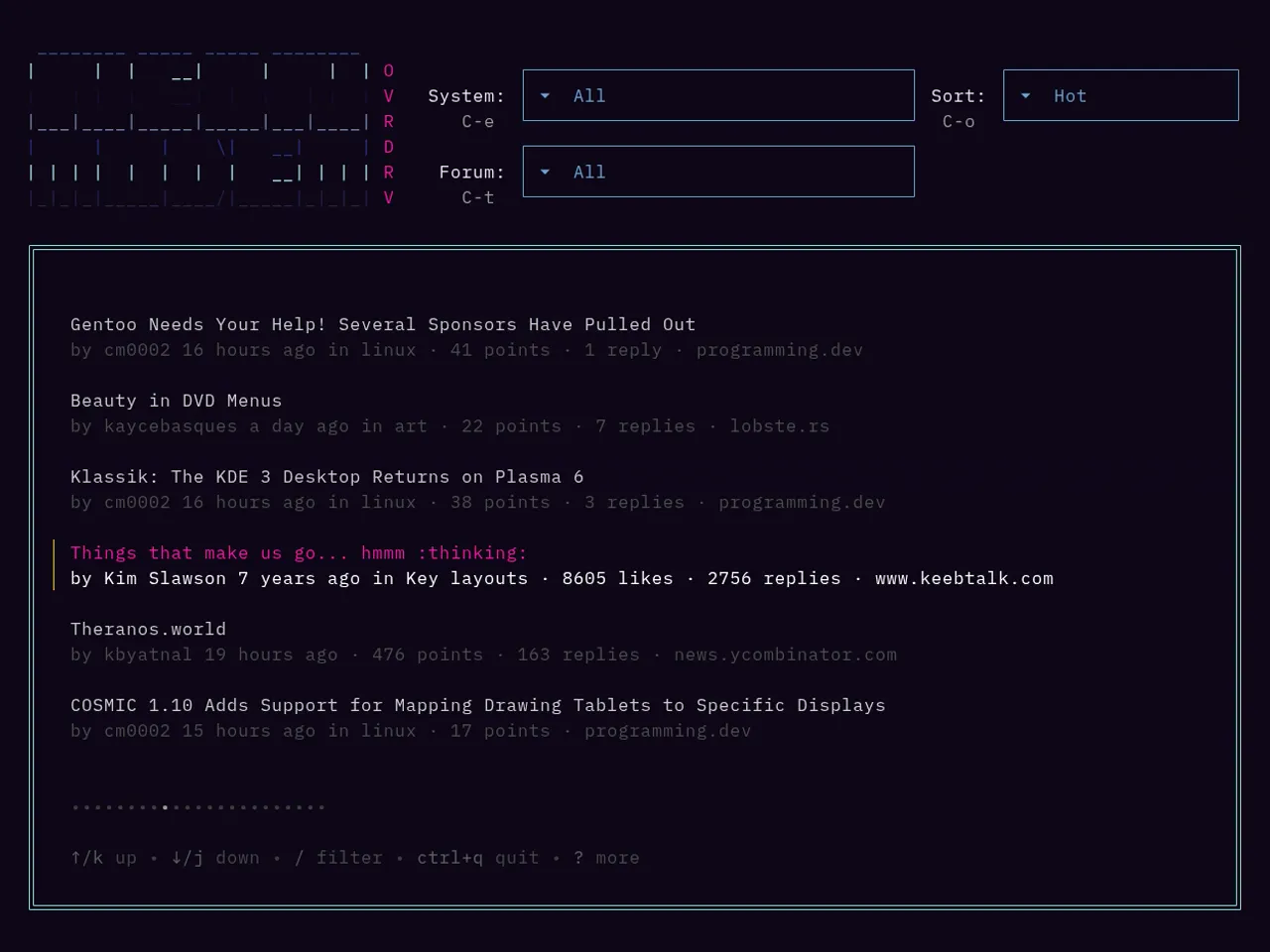
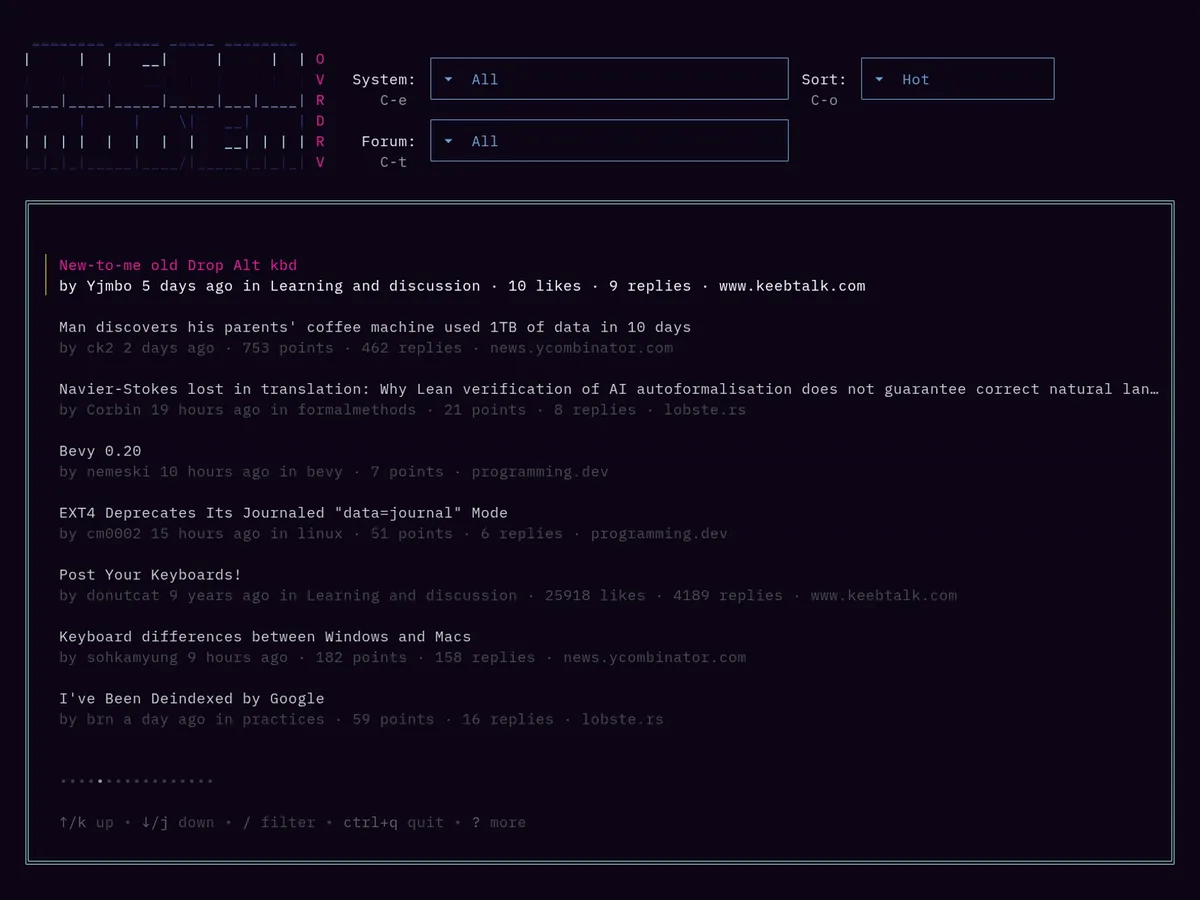
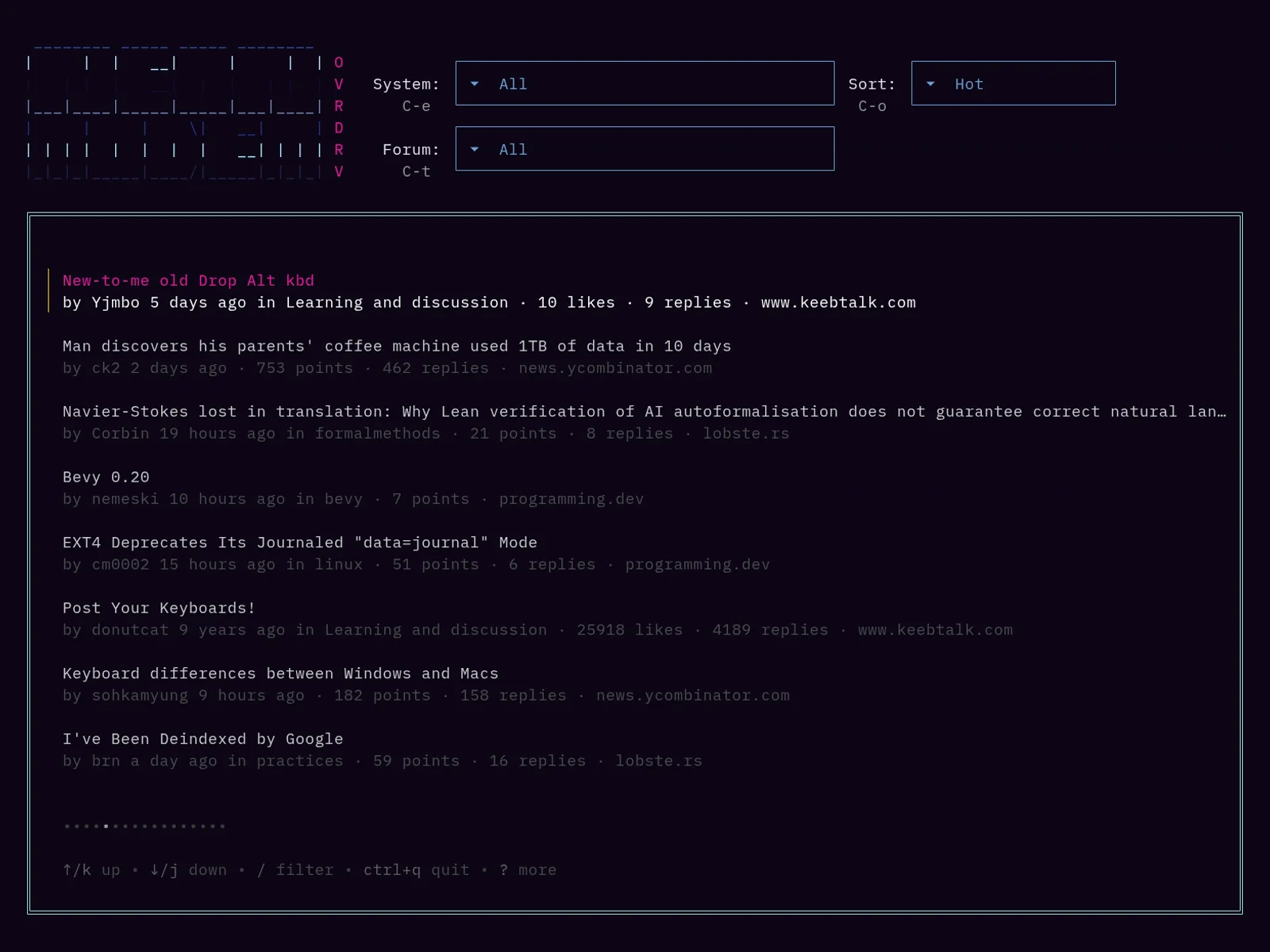
The feed in a dark terminal, sorted by Hot: posts from KeebTalk, Hacker News, lobste.rs and programming.dev, each with its author, age, forum, points, replies and system.
The feed lists the posts of every connected system, here in the Hot order. j and k move, / filters, Enter opens a post.
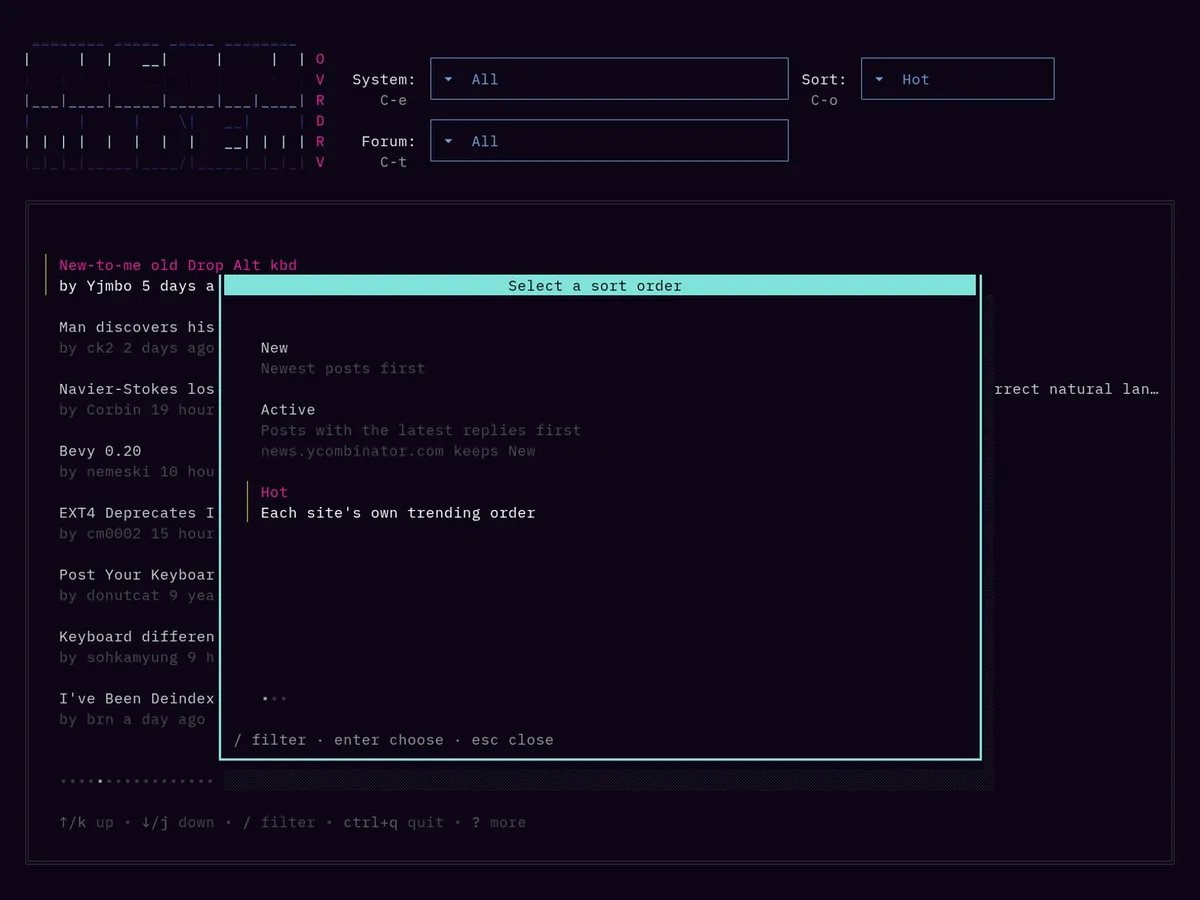
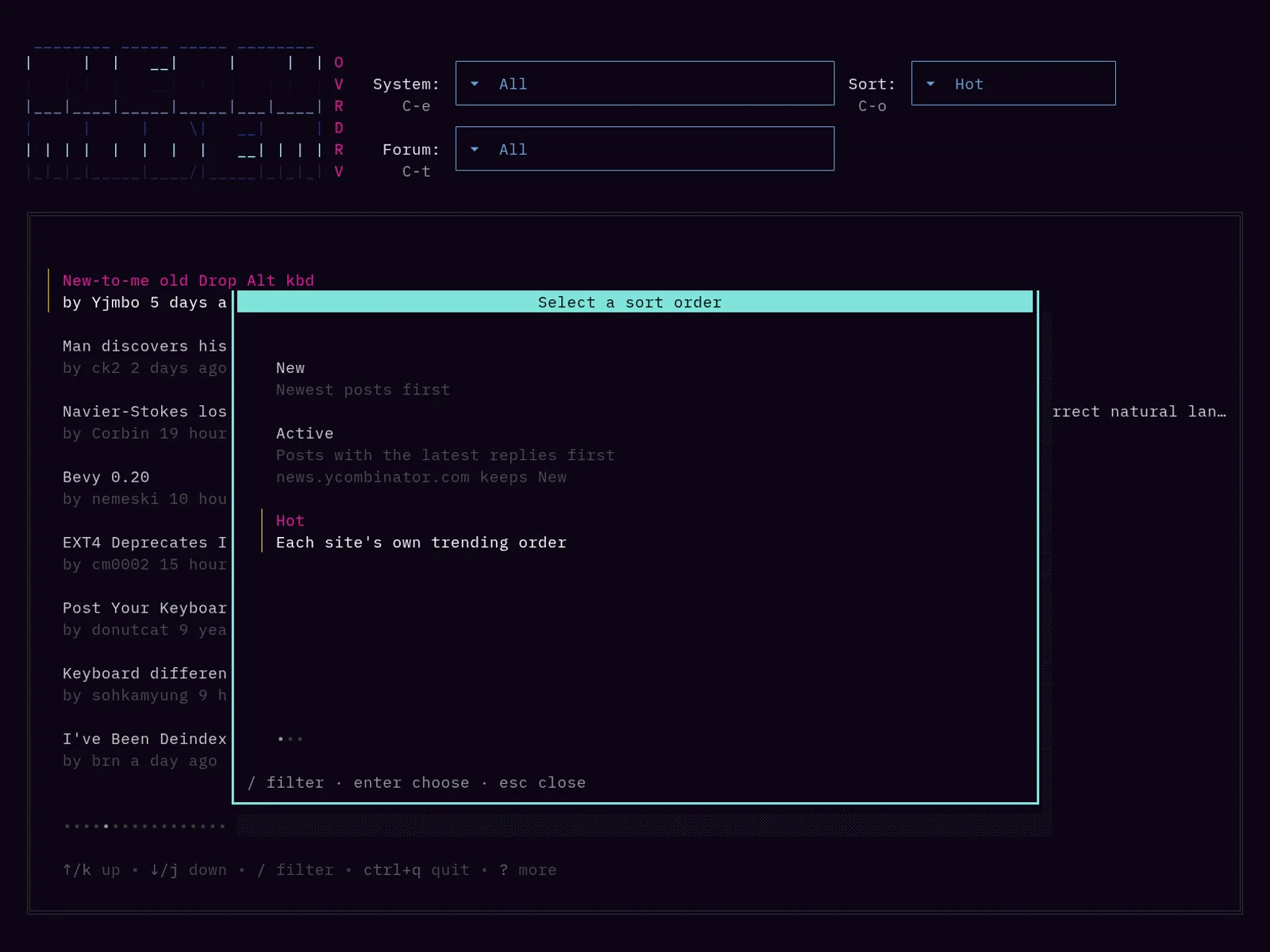
The sort order picker over the feed, with Hot selected and a note under Active that news.ycombinator.com keeps New.
C-o opens the sort order picker. Below each order it lists the systems that don't have it, here Hacker News, which keeps New instead of Active.
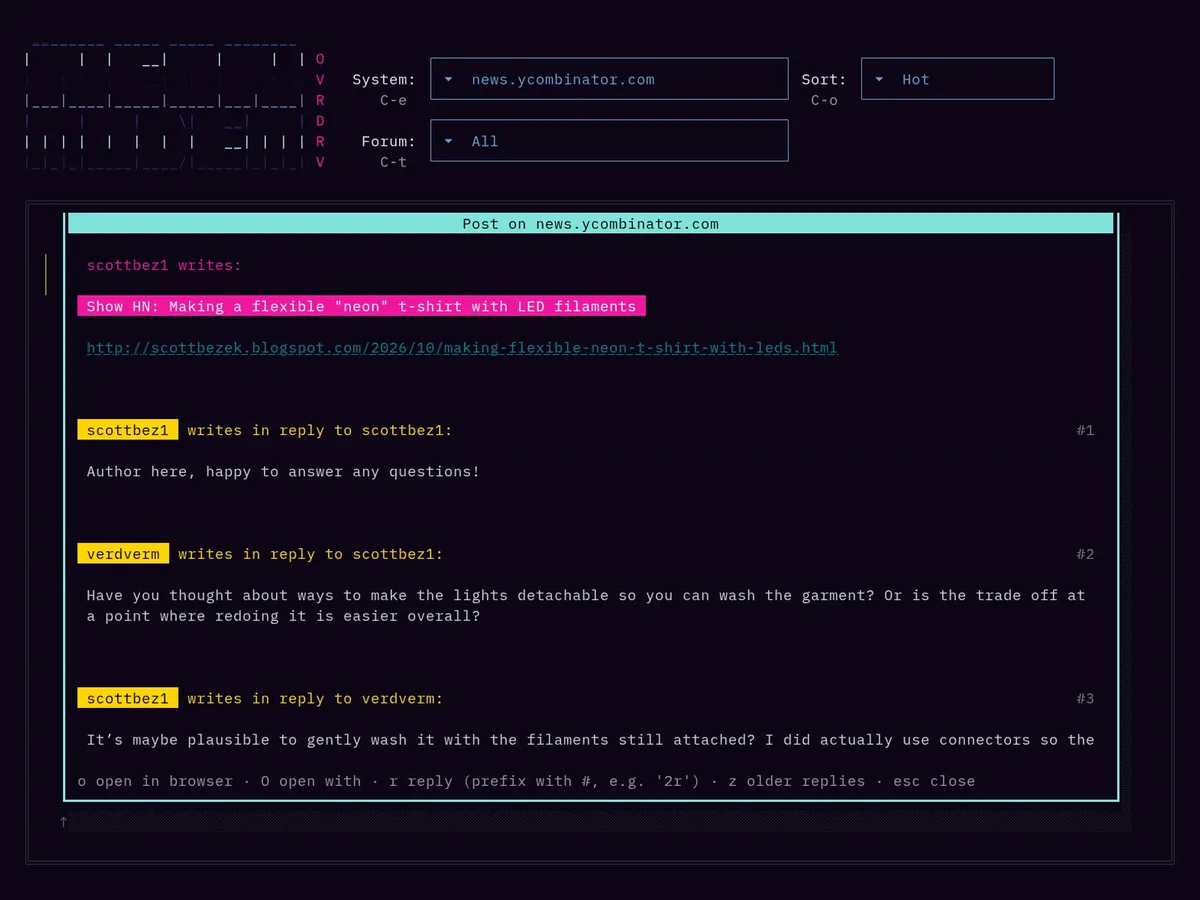
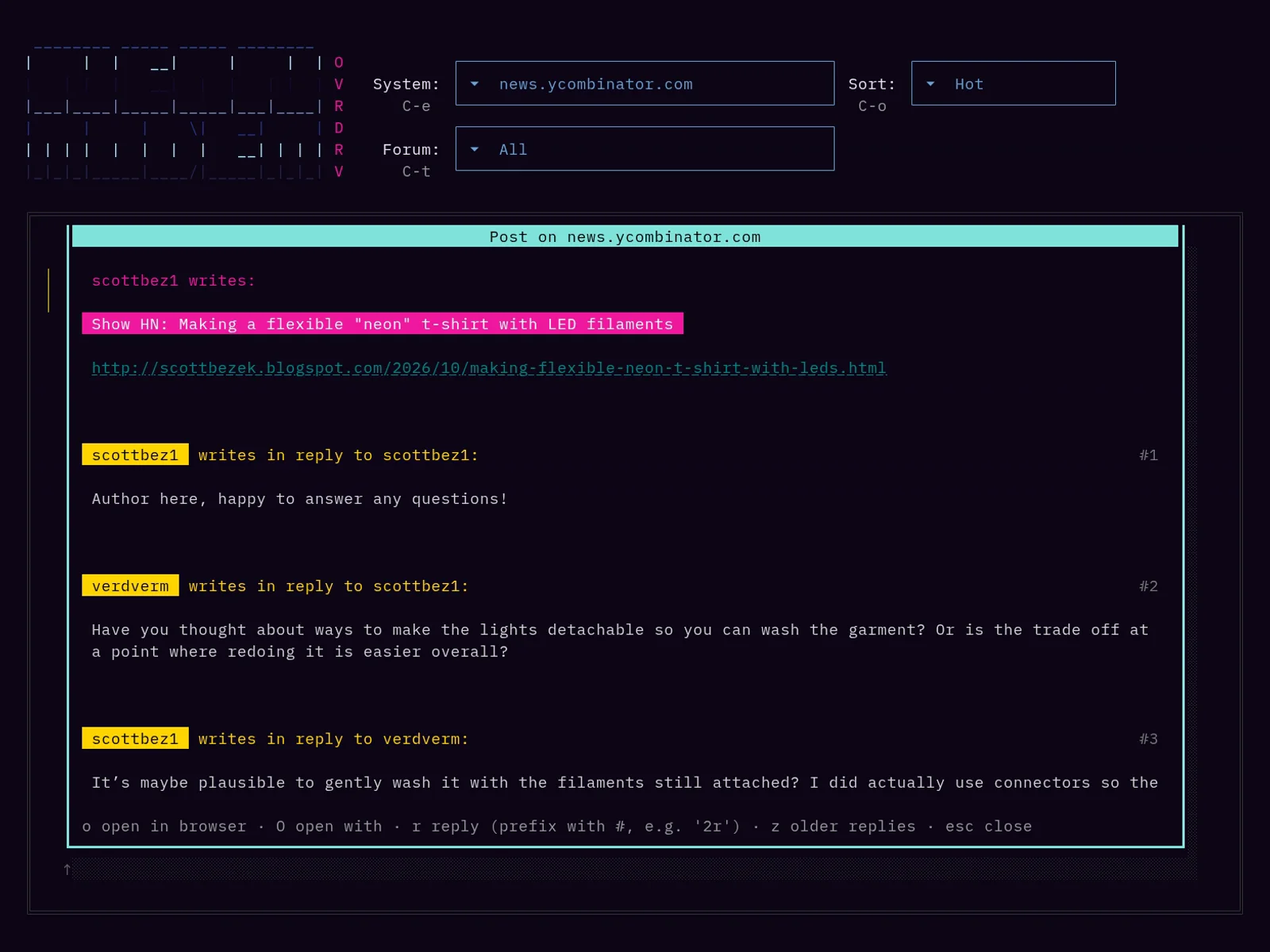
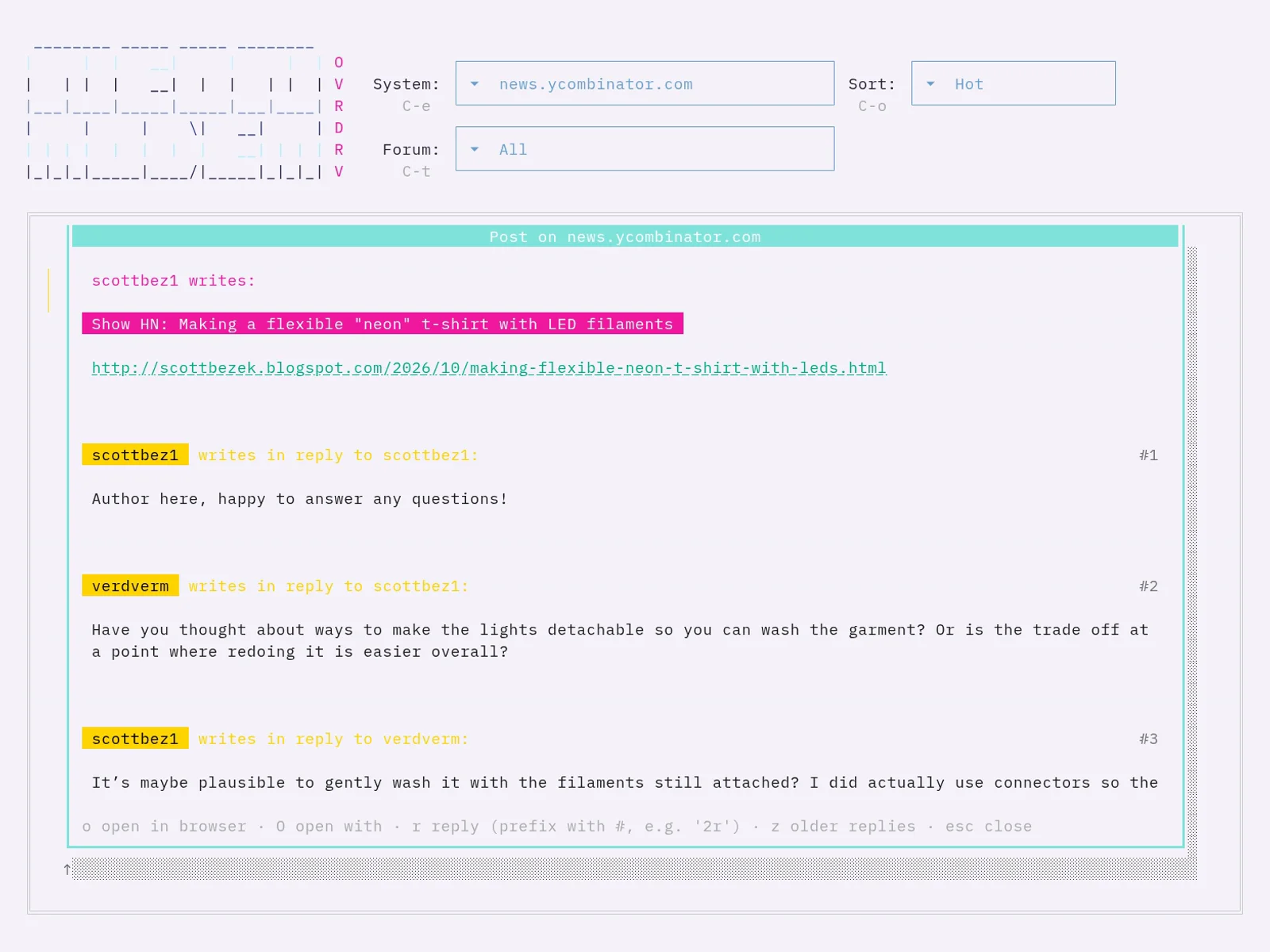
A Hacker News thread in the post window: the link post Show HN: Making a flexible "neon" t-shirt with LED filaments and its replies, numbered #1 to #3.
A Hacker News thread with numbered replies. 2r replies to reply #2, o opens the post in the browser.
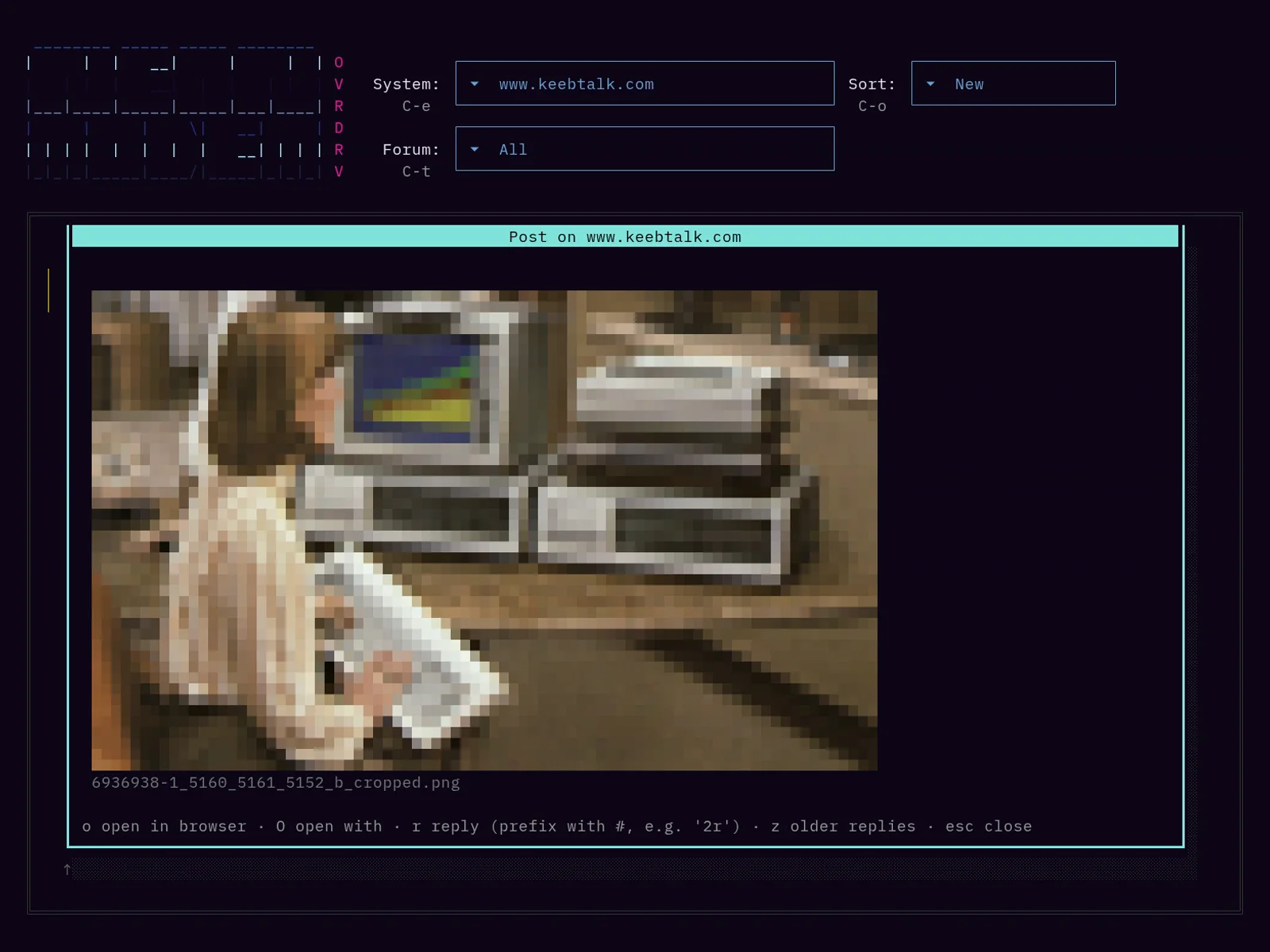
A KeebTalk post scrolled to a photo of an IBM PC, drawn in colored half blocks, with its file name below it as the caption.
A photo of the IBM PC in a KeebTalk post, drawn below the paragraph that links it, with its file name as the caption.
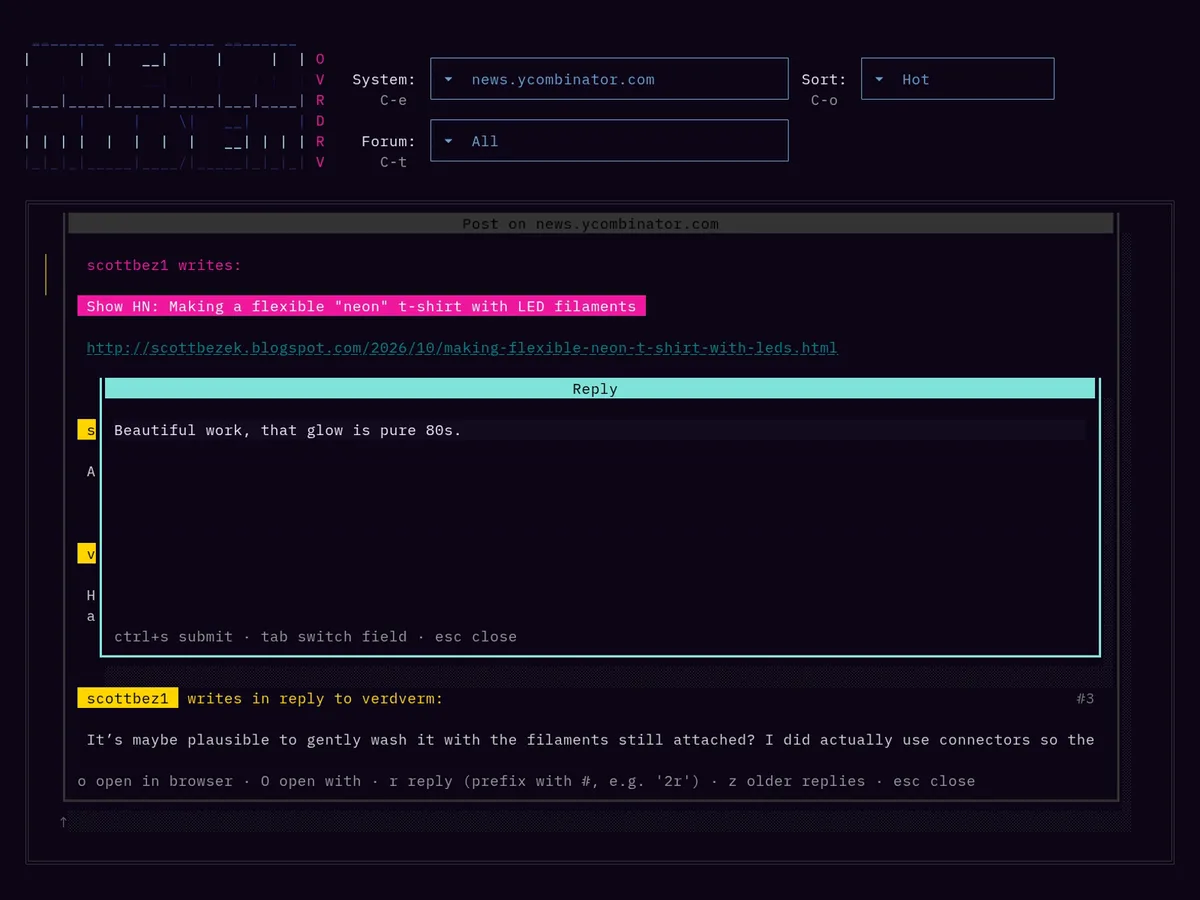
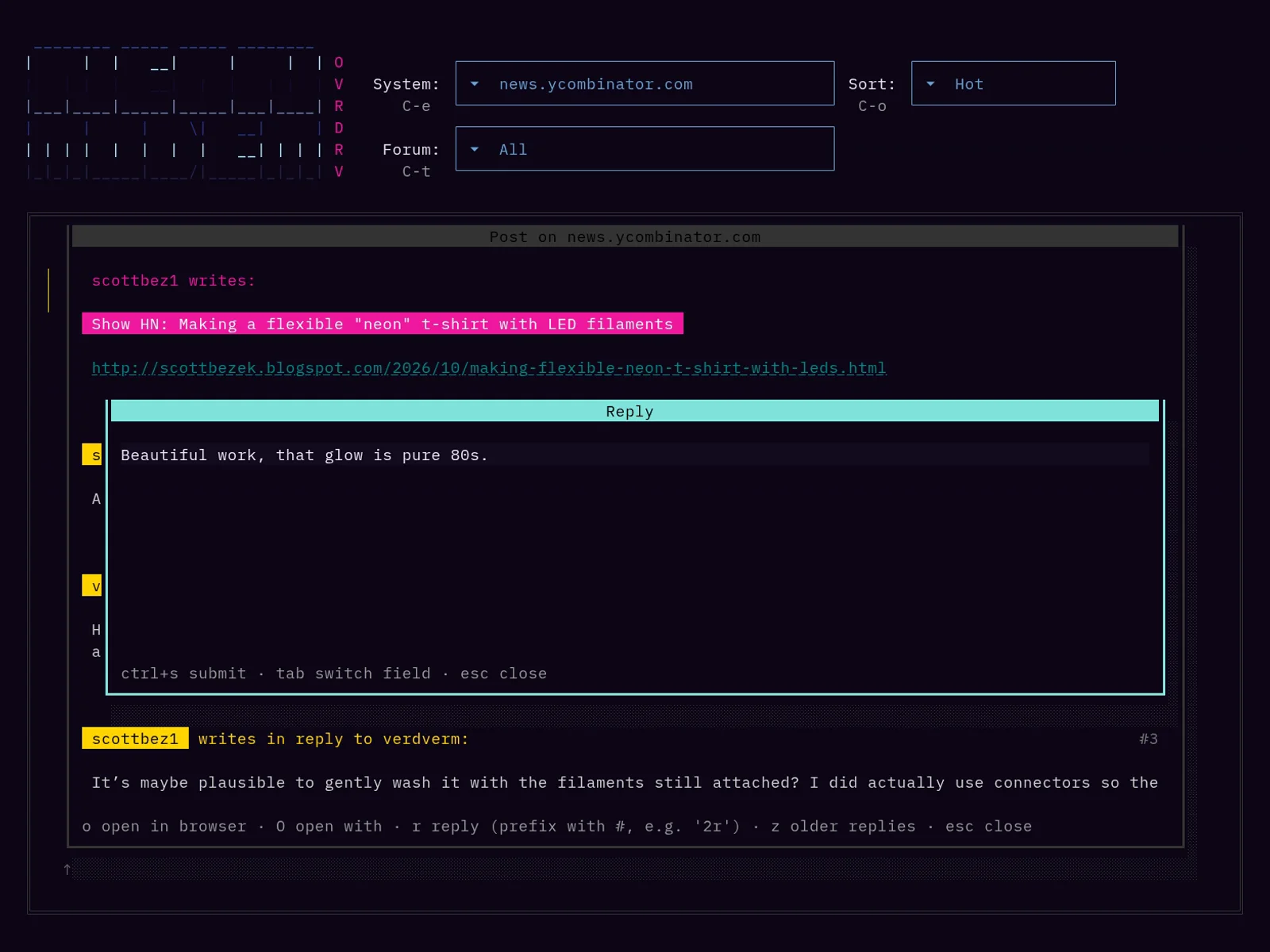
The reply window over the Hacker News thread, with a reply typed into it.
The reply window on top of the thread. C-s sends, Esc closes it.
The Open with dialog over the Hacker News thread, listing Save page, Bookmark in nb and Read later in Wallabag with their commands.
O lists the commands from the OpenWith entries of the configuration and runs the chosen one on the post.
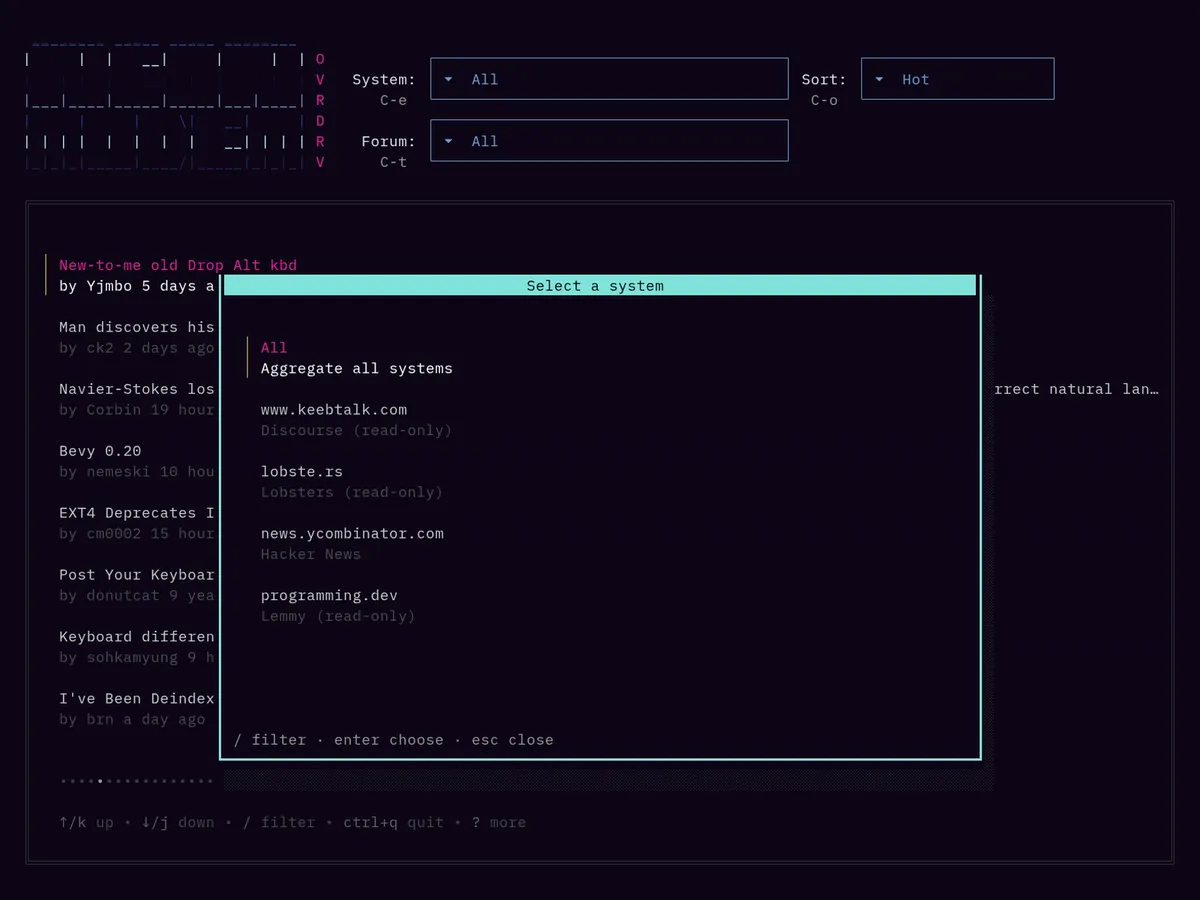
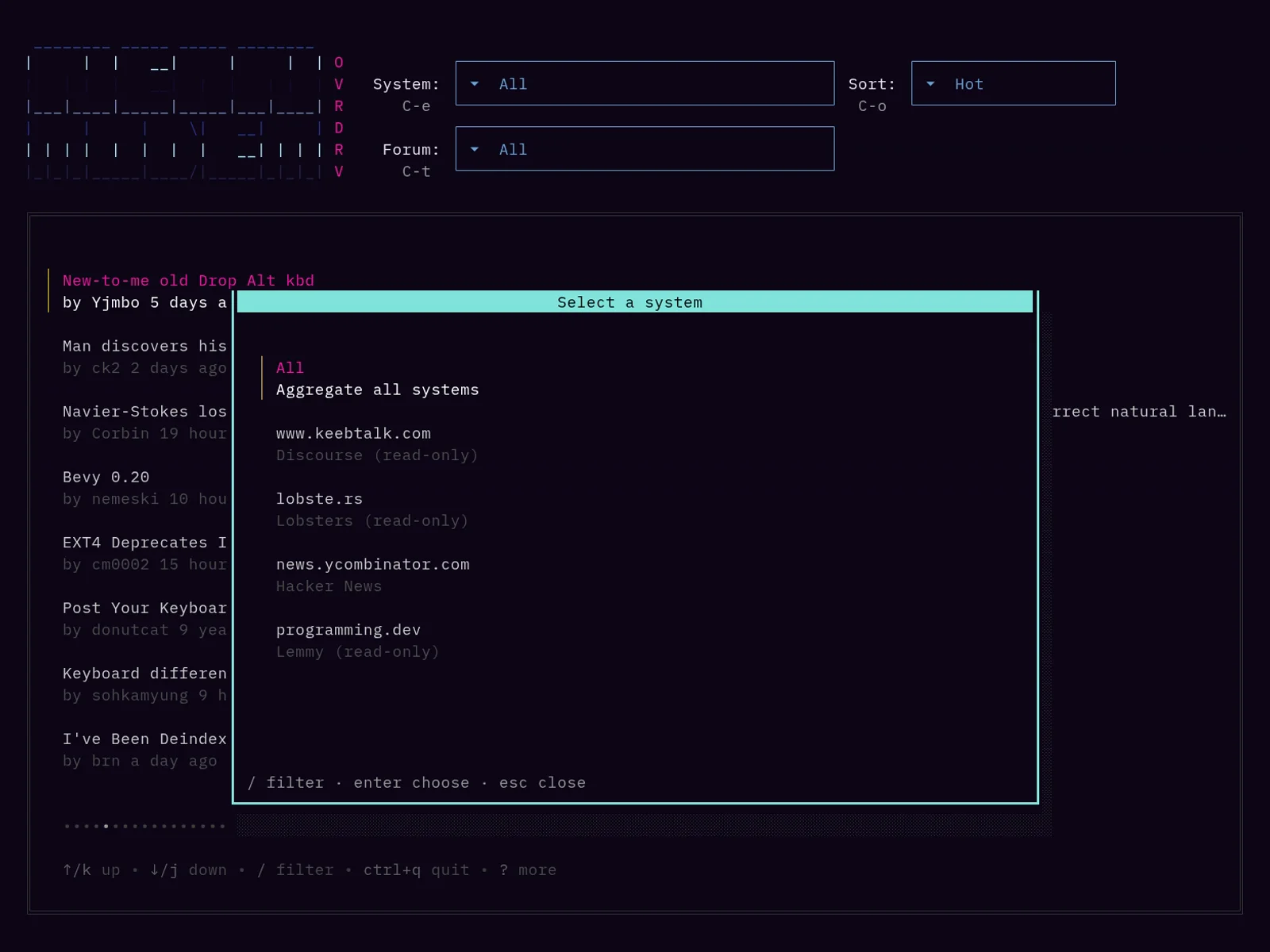
The system picker listing All, www.keebtalk.com, lobste.rs, news.ycombinator.com and programming.dev.
C-e opens the system picker, to show one system or all of them. Systems connected without an account are marked read-only.
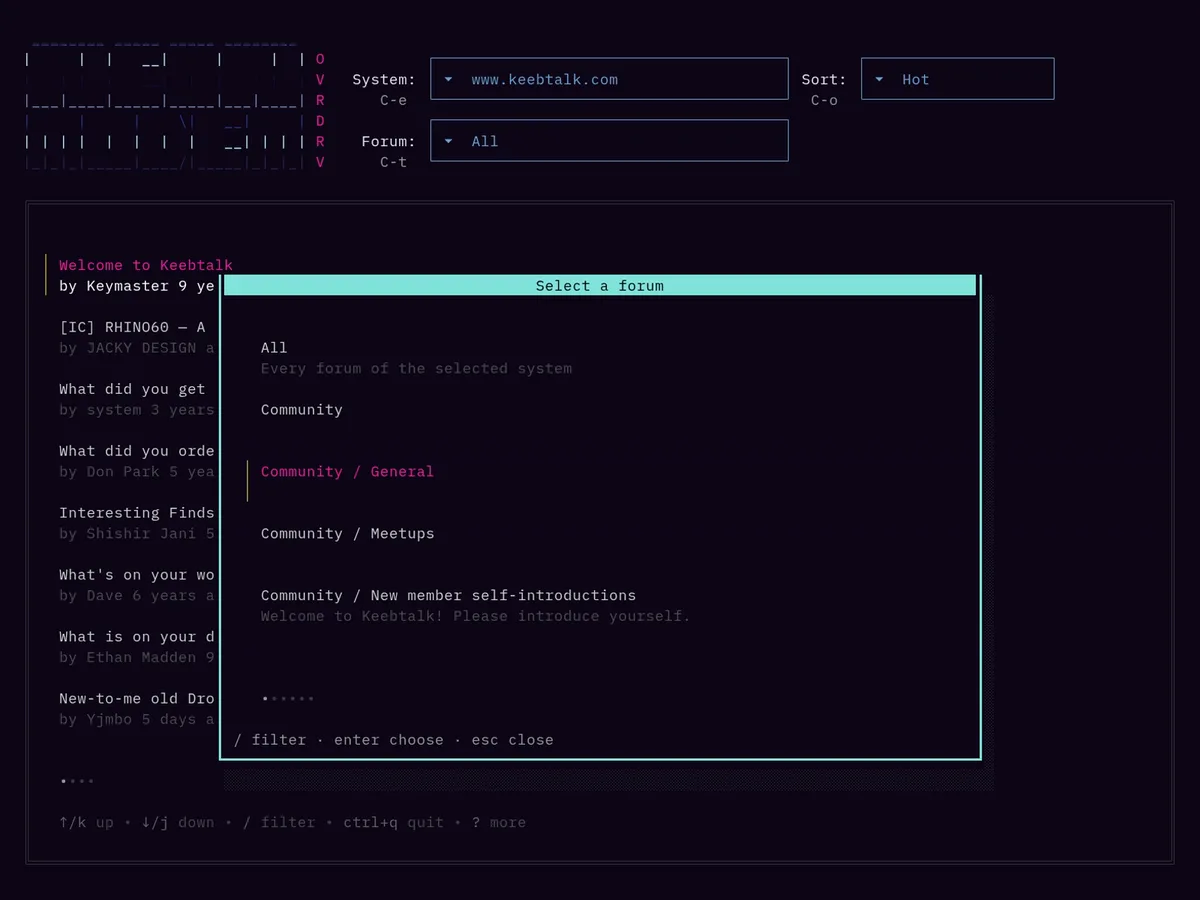
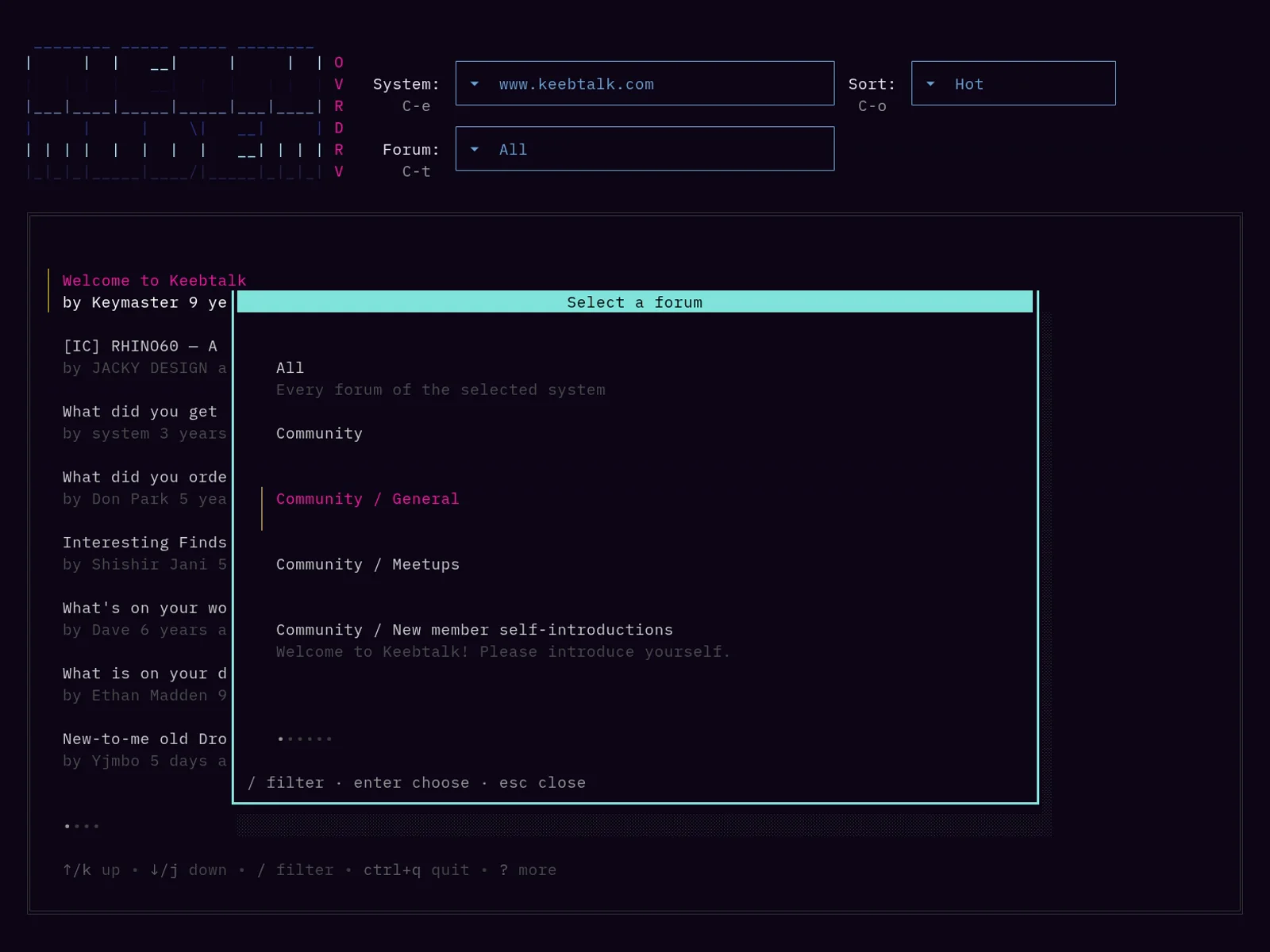
The forum picker over the KeebTalk feed, listing its categories.
C-t opens the forum picker of the selected system, here the categories of KeebTalk.
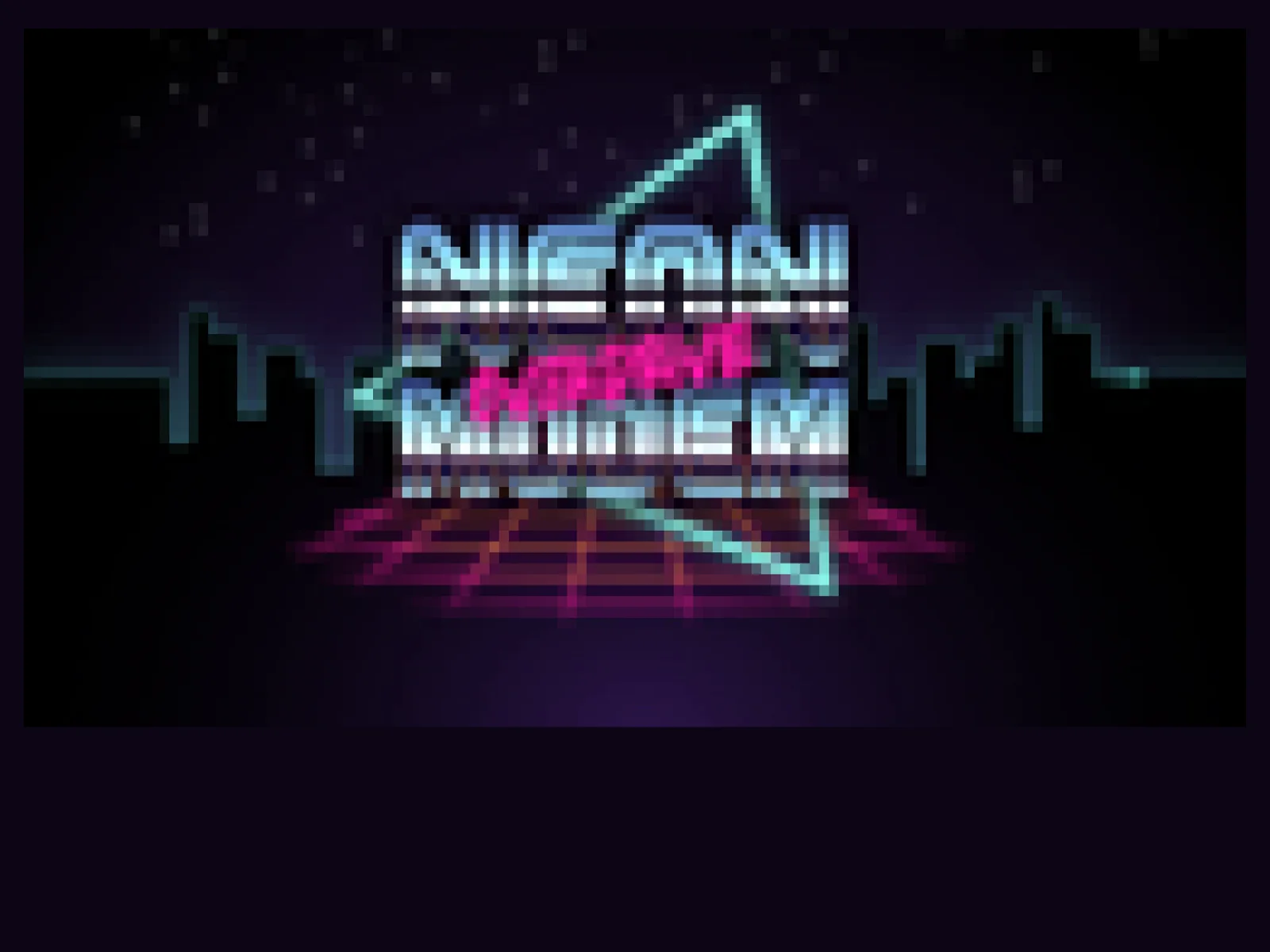
The splash screen: the Neon Modem Overdrive logo drawn in the terminal.
The splash screen, shown while the first posts load. Any key skips it.
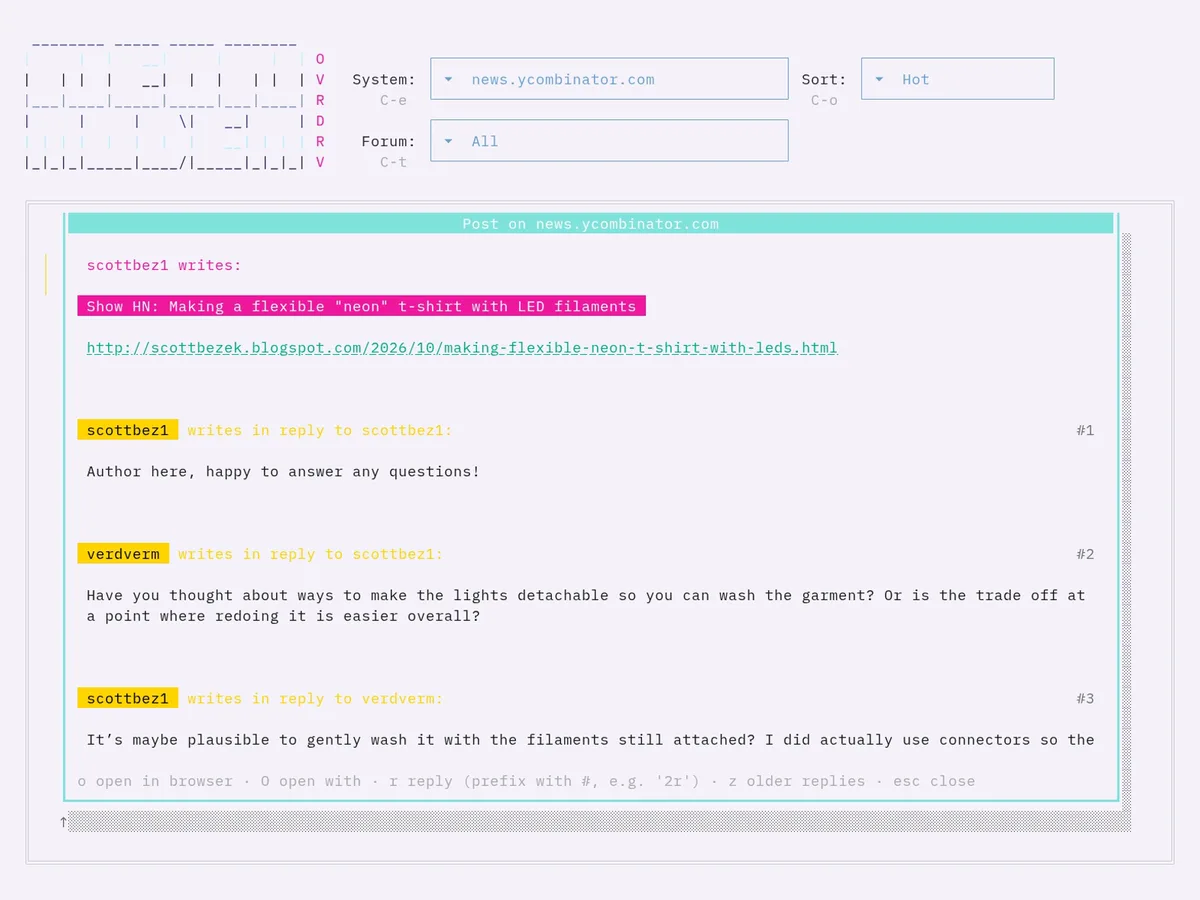
The Hacker News thread in a terminal with a light background.
On a light terminal Neon Modem uses the light half of every theme color.
The feed in a dark terminal, sorted by Hot: posts from KeebTalk, Hacker News, lobste.rs and programming.dev, each with its author, age, forum, points, replies and system. The sort order picker over the feed, with Hot selected and a note under Active that news.ycombinator.com keeps New. A Hacker News thread in the post window: the link post Show HN: Making a flexible "neon" t-shirt with LED filaments and its replies, numbered #1 to #3. A KeebTalk post scrolled to a photo of an IBM PC, drawn in colored half blocks, with its file name below it as the caption. The reply window over the Hacker News thread, with a reply typed into it. The Open with dialog over the Hacker News thread, listing Save page, Bookmark in nb and Read later in Wallabag with their commands. The system picker listing All, www.keebtalk.com, lobste.rs, news.ycombinator.com and programming.dev. The forum picker over the KeebTalk feed, listing its categories. The splash screen: the Neon Modem Overdrive logo drawn in the terminal. The Hacker News thread in a terminal with a light background.

Keys

Posts list
j Scroll down
k Scroll up
/ Filter the list
r Enter Open the selected post
n Write a new post in the forum of the selected post
C-r Reload the posts list
C-e Open the system picker
C-t Open the forum picker
C-o Open the sort order picker
! Show the recent notices
Esc Cancel or clear the filter
C-q Quit, from every view and dialog
Post view
j k Scroll
r Reply to the post
3r Reply to reply #3
z Load older replies
o Open the post in the browser
O Open the post with one of your commands
Esc Close the post
Compose
Tab Switch between title and body of a new post
C-s Submit
Esc Close the window

Install

  1. Get it

    Download the archive for your platform from the latest release, unpack it and move the neonmodem binary to a directory in your PATH. Windows builds are zip archives.

    $ tar -xzf ./neonmodem_*.tar.gz
    $ mv neonmodem /usr/local/bin/

    The neonmodem package in the AUR installs with your AUR helper of choice.

    $ yay -S neonmodem

    NetBSD has a package in its official repositories.

    $ pkgin install neonmodem

    Clone the repository from tty.fail or GitHub and build it with make. Building needs Go 1.26.7 or newer.

    $ git clone https://tty.fail/mrus/neonmodem.git
    $ cd neonmodem
    $ make
  2. Connect

    Every board is added with neonmodem connect and saved to the configuration file. For each credential it shows a menu to enter it or to read it from a command, and No account in the username menu connects for reading only.

    $ neonmodem connect --type lemmy --url https://lemmy.ml
    How do you want to provide your username or email?
      1) Enter it now
      2) Read it from a command
      3) No account, read-only access
    Please choose (press Enter for 1): 3
    Connecting without an account; posting and replying will not be available.
    Which feed should be listed, subscribed, local or all (press Enter for subscribed): local
    Successfully added new connection! Configuration saved to /home/you/.config/neonmodem.toml
    $ neonmodem connect --type discourse --url https://www.keebtalk.com
    How do you want to provide your username?
      1) Enter it now
      2) Read it from a command
      3) No account, read-only access
    Please choose (press Enter for 1): 1
    Please enter your username: you
    
    Please copy the user API key after authorizing and paste it here: 
    www.keebtalk.com accepted the key.
    How do you want to store your user API key?
      1) Store it in the configuration file
      2) Read it from a command
    Please choose (press Enter for 1): 1
    Successfully added new connection! Configuration saved to /home/you/.config/neonmodem.toml

    Neon Modem opens the browser to authorize a user API key on the forum, checks the key and stores it instead of your password. With Read it from a command, it shows the key once, to save it in your password manager.

    $ neonmodem connect --type lobsters --url https://lobste.rs
    How do you want to provide your username or email?
      1) Enter it now
      2) Read it from a command
      3) No account, read-only access
    Please choose (press Enter for 1): 3
    Connecting without an account; posting and replying will not be available.
    Successfully added new connection! Configuration saved to /home/you/.config/neonmodem.toml
    $ neonmodem connect --type hackernews
    How do you want to provide your Hacker News username?
      1) Enter it now
      2) Read it from a command
      3) No account, read-only access
    Please choose (press Enter for 1): 1
    Please enter your Hacker News username: you
    How do you want to provide your password?
      1) Enter it now
      2) Read it from a command
    Please choose (press Enter for 1): 2
    Please enter the command that prints your password: pass show news.ycombinator.com
    Successfully added new connection! Configuration saved to /home/you/.config/neonmodem.toml
    $ neonmodem connect --type hyperuplink --url https://api.hyperup.link
    Connecting to "Hyperuplink" (Hyperuplink).
    How do you want to provide your username?
      1) Enter it now
      2) Read it from a command
      3) No account, read-only access
    Please choose (press Enter for 1): 3
    Connecting without an account; posting and replying will not be available.
    Successfully added new connection! Configuration saved to /home/you/.config/neonmodem.toml

    The line below the command names the board, and the menu lists No account only for boards that serve guests. With an account, Neon Modem signs in with your password and a two-factor code if the account uses one, then stores the API key the board issues instead of the password. Accounts that sign in through an OAuth provider enter a key from the API page of their account settings on the board instead.

  3. Run

    Start neonmodem without arguments. It loads the feed of every connected system, newest first unless Sort in the configuration sets another order. Errors of single systems appear in a line below the header and in the log, ~/.cache/neonmodem.log on Linux.

    $ neonmodem
    Configuration file
    Linux, BSD $XDG_CONFIG_HOME/neonmodem.toml or ~/.config/neonmodem.toml
    macOS ~/Library/Application Support/neonmodem.toml
    Windows %AppData%\neonmodem.toml

    Top-level settings can also be set through environment variables, for example NEONMODEM_SORT=hot or NEONMODEM_PROXY=http://proxy:8080.

FAQ

The post view is really slow when using a large terminal.

Turning off image rendering will improve performance significantly on very large terminal windows and can be done by setting RenderImages = false in the configuration.

Can I haz Reddit?

I won't do the heavy lifting of integrating a proprietary platform with a $15 billion valuation that can't even be bothered to maintain a solid set of client API libraries. If you feel like, go ahead and PR!

Where is the configuration file?

On Unix systems it's $XDG_CONFIG_HOME/neonmodem.toml when $XDG_CONFIG_HOME is set, otherwise $HOME/.config/neonmodem.toml. On macOS it's $HOME/Library/Application Support/neonmodem.toml, and on Windows %AppData%\neonmodem.toml. neonmodem connect writes only the connected systems and the settings that differ from the defaults, and comments in the file are lost on a write. When the file can't be written, for example because it links into the Nix store, the command prints the [[Systems]] tables to add by hand.

Are my credentials stored?

Unless they're read from a command, yes, in plain text in the configuration file, which is created with mode 0600. Lobsters and Hacker News store username and password, Lemmy the session token it issued at login, Discourse a user API key and Hyperuplink an API key the board issued. Adding _cmd to a credential's name, as in token_cmd = 'pass show lemmy/token', reads it from a command instead.

Can I post without an account?

No. Creating posts and replies needs an account on the system. Without one, every system connects for reading only, Hyperuplink on boards that serve guests.

Does posting work with two-factor authentication?

On Discourse, Lemmy and Hyperuplink it does. Discourse authorizes the key in the browser, where you sign in as usual, and for Lemmy and Hyperuplink neonmodem connect prompts for the current code from your authenticator app. On Lobsters it doesn't, since Neon Modem posts through the site's login form, which accounts with two-factor authentication can't use. Reading without an account still works there.

How do I change the colors?

Edit the Theme section of the configuration file. Colors are given as Light and Dark pairs, and Neon Modem uses the one that matches the terminal background. Deleting the theme settings restores the defaults.

Does it run on Windows?

Yes. Every release has Windows builds for 386, amd64 and arm64 as zip archives, and the configuration is in %AppData%\neonmodem.toml.

Can I use a proxy?

Set Proxy in the configuration file or NEONMODEM_PROXY in the environment, for example NEONMODEM_PROXY=http://proxy:8080.